
In This Article
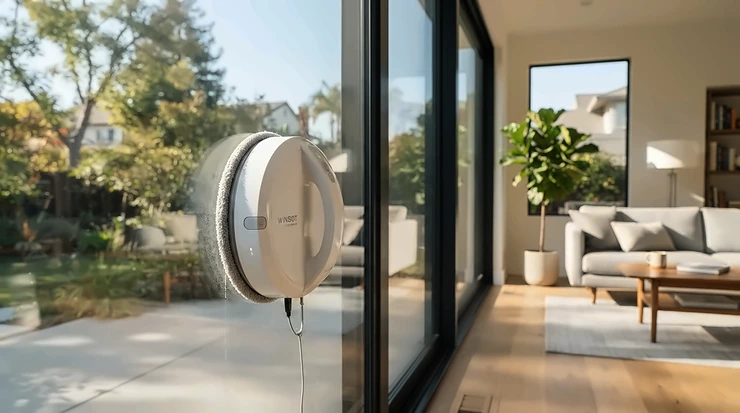
A robot window cleaner with remote control is a suction-mounted, self-driving glass-cleaning device that clings to a pane, wipes it with microfibre pads, and can be steered by hand using a bundled handset, a smartphone app or buttons on the unit. The remote lets you redirect it, trigger the spray or rescue it from awkward spots.
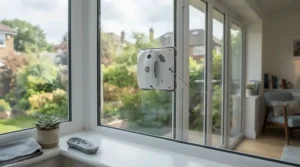
Picture a drizzly Saturday. The first-floor window is grubby, you’re wobbling on a ladder with a bucket hooked over one arm, and you’re wondering where it all went wrong. HSE’s guidance on ladders and stepladders treats ladders as a sensible option only for low-risk, short-duration jobs. It’s written for workplaces, but the logic travels. A window robot keeps your feet on the carpet.
Here’s the catch nobody prints on the box: “remote control” means three different things. Hobot, Mamibot, Cecotec and most budget brands bundle a physical handset alongside an app. Ecovacs, the big name in the category, steers through a virtual joystick in its app plus buttons on the robot or station. Same job, very different feel.
This guide compares seven real models from UK and European retail, from budget kit to cordless premium. Everything rests on published specs and aggregated findings from independent reviews (TechRadar, nextpit, CHOICE) plus European retailer feedback. No hands-on testing is claimed, and I’ll flag it when the evidence runs thin. Prices are ranges only, so check the live amazon.co.uk listing before you buy.
Quick Comparison: Best Robot Window Cleaner with Remote Control at a Glance
| Model | Control | Power | Price range | Best For |
|---|---|---|---|---|
| W2S Pro Omni | App (Bluetooth), station and robot buttons | Cordless station | £500-£550 | Tall or large glass |
| W2 Omni | App virtual gamepad, station buttons | Cordless station | £450-£550 | Smart-home fans |
| W1 Pro | App with manual drive | Mains, safety tether | £300-£400 | Entry to Ecovacs |
| Hobot S7 Pro | Handset and app | Mains, built-in UPS | £300-£350 | Everyday patio doors |
| Mamibot W120-T | Handset, app and button | Mains, UPS backup | £200-£260 | Slim, quiet cleaning |
| Conga Windroid 1090 | Handset and app | Mains | £140-£180 | Tight budgets |
| FRUITEAM | Handset and app | Mains, backup battery | Under £100 | First-time experiments |
Looking at the table, the W2S Pro Omni and W2 Omni are the only cordless-station options, which matters if your windows sit nowhere near a plug socket. The Hobot S7 Pro and Mamibot W120-T are the handset-plus-app middle ground. The Conga Windroid 1090 and FRUITEAM undercut everyone on price, at the cost of thinner independent testing.
💬 Just one click — help others make better buying decisions too!😊
Top 7 Robot Window Cleaners with Remote Control: Expert Analysis
Seven picks, roughly premium to budget. Evidence quality varies a lot, so each entry says how solid the data is. Consider this a remote control window robot review built from other people’s testing, not mine.
1. ECOVACS WINBOT W2S Pro Omni — triple-nozzle spray, Bluetooth-only pairing
The headline trick is a cordless station teamed with a triple-nozzle spray that T3 says is designed for streak-free, drip-free results. Ecovacs quotes 10,000Pa of suction and eight cleaning modes, including zone, edge and heavy-duty. That headroom matters in practice: it keeps the robot planted on older, slightly imperfect glass, while four corner scrubbers aim to shrink the dirty margin round the pane edges.
Control is the interesting bit. Home & Smart’s German testers found it pairs with the Ecovacs app over Bluetooth, no Wi-Fi required, and the app adds 360-degree manual driving plus manual spraying. They also said you don’t strictly need the app day to day. None of the reviews I found mention a physical handset, so treat your phone as the remote.
It suits anyone with tall, large or awkward glass who’d rather not thread a cable through an open sash. Evidence is thinner because the model is new. Reviews of its sibling, the W2S Omni, praise easy operation and tidy results, with price the recurring gripe. Teltarif noted occasional drips onto the windowsill.
Pros:
- ✅ Cordless station, no trailing cable
- ✅ Bluetooth pairing, no Wi-Fi needed
- ✅ Zone, edge and heavy-duty modes
Cons:
- ❌ Premium price tag
- ❌ Sibling model reported occasional sill drips
Price range: £500-£550 (check current price). Worth it for big or tall glass; overkill for three small windows.

2. ECOVACS WINBOT W2 Omni — station-powered all-rounder with a driveable app
The standout is the portable station, which powers the robot, stores it and acts as a control hub, so you can work well away from sockets. TechRadar noted in 2025 that this was the Winbot version sold in the UK, at £519.99. Battery life runs to about 110 minutes, and the 60ml tank sounds tiny but goes a long way with a light-spray system.
For control, nextpit found it runs without the app, but the app unlocks a virtual gamepad and spray-rate settings. In remote mode you trigger the spray yourself, and the German review says that’s limited to roughly once every eight seconds. So the remote is a fine-tuning tool rather than a full steering wheel for the whole job.
It suits smart-home types who like one Ecovacs app across devices. TechRadar’s review of the premium W2 Pro Omni (same platform, adds cleaning while charging) praised exceptional results and frameless-glass edge detection, though its sensors stop the cloth reaching the extreme corners. Nextpit’s own verdict on this model was good: thorough cleaning, but a barebones app and imperfect obstacle detection. It also called the fan fairly loud.
Pros:
- ✅ Works without the app
- ✅ Station doubles as storage and control hub
- ✅ Strong corner detection per nextpit
Cons:
- ❌ Basic app with limited features
- ❌ Fan noise can be intrusive
Price range: £450-£550 depending on promotions. Good value only if you need the battery station.
3. ECOVACS WINBOT W1 Pro — mains-powered, app-driven manual steering
This is the older, cheaper way into the Winbot family: 2,800Pa suction, WIN-SLAM 3.0 path planning and a 60ml tank with cross-spray nozzles. It’s mains-powered with a safety tether, so you trade cordless freedom for a lower price. TechRadar noted it has similar specs to the £329 Hobot S7 Pro, though UK stock was patchy in 2025, so confirm it’s currently listed.
The “remote” here is purely the app, which switches modes, pauses cleaning and lets you drive manually. Reviewers at Gadget Guy and Witchdoctor both flagged that manual drive as handy for spots the autopilot misses.
The most credible evidence is a CHOICE lab test, which found it cleaned grimy windows inside and out with only small, faint patches left after a deep clean. CHOICE also warned against using it in gale-force wind or rain, and said the glass must be flat and not greasy. Treat that as a sensible rule for every robot here.
Pros:
- ✅ Proven results in lab testing
- ✅ App lets you drive it manually
- ✅ Cheaper than Omni-station models
Cons:
- ❌ Cable limits reach from sockets
- ❌ UK availability has been inconsistent
Price range: £300-£400 when in stock (check current price). Sound value for a few reachable windows.
4. Hobot S7 Pro — handset and app, with UPS backup
The pitch is a dual-pad “polish” action, reportedly up to 600 movements a minute, with a built-in UPS battery so a power cut doesn’t send it crashing. Specs include 4,800Pa suction, a 52ml spray tank, a roughly 4m cable and a minimum window size of 50 x 50cm. Translation: it’s a mains-tethered robot for medium-to-large panes, not small leaded lights.
TechRadar’s hands-on review found lightly soiled glass came out perfectly clear, but the handset was sometimes awkward. At the time, app support wasn’t working in the standard Hobot app, though it turned out to live in the Hobot Legee app. TechRadar’s separate explainer noted visible track marks where it pivoted. On the app side, Hobot says you select which way the robot faces, so direction commands make sense.
Reviewer sentiment is mixed. Czech retailer listings rate it well on a small sample, but one Trustpilot reviewer with very large windows said it merely moved dirt around.
Pros:
- ✅ Physical handset plus app
- ✅ UPS backup protects against power cuts
- ✅ Lower price than Ecovacs station models
Cons:
- ❌ Handset can feel awkward
- ❌ Track marks on heavily soiled glass
Price range: around £300-£350 (list price £329). Best for light, regular upkeep rather than neglected glass.
5. Mamibot W120-T — three control routes in a slim 10cm body
Mamibot’s selling point is flexibility: app, handset or a button on the unit. It weighs 1.35kg, stands about 10cm thick, and quotes 2,800Pa suction, Z-and-N cleaning patterns, a 4.5m safety rope and a 20-minute UPS backup. A gyroscope helps it return to its starting point, and the square body is claimed to reach up to 99% of the glass, which is a maker’s figure rather than a tested one.
Because the handset covers direction and spray, you can steer it away from a stubborn mark without opening the app. That’s the sort of redundancy I’d value on a cold day when phone-fiddling with gloves is a pain.
Independent evidence is mostly older: the model was highlighted at IFA 2018, and a buyer’s guide from BestAdvisor described near-silent running and an intuitive app, while advising a manual pre-clean of very dirty windows first. I couldn’t find recent lab testing, so treat the praise as indicative only.
Pros:
- ✅ App, handset and onboard button
- ✅ Slim, lightweight body
- ✅ UPS backup and 4.5m safety rope
Cons:
- ❌ Older design with modest suction
- ❌ Little recent independent testing
Price range: roughly £200-£260 (European listings sit near the €280 mark; check UK pricing). Fair value for the control flexibility.
6. Cecotec Conga Windroid 1090 Double Spray Connected — double spray, handset or app
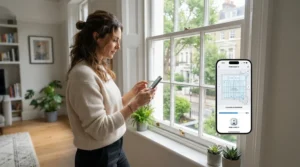
This Spanish-brand model pairs automatic double spray with eight cleaning modes and a 75ml tank. The listing and manual describe control by handset or the Cecotec app, with a safety rope, spare mops and a quoted 7.5m operating range. In plain English: a mains-powered robot that should reach well along a large window or patio door, though check how much cable you actually get.
Manual control of direction and mode via the handset is the practical feature. It’s the cheapest way to get both a handset and a “Connected” app from a recognisable brand.
Here’s the honest bit: I couldn’t verify meaningful independent UK reviews, only retailer listings and the manual. So I won’t invent any sentiment. If you buy it, read recent amazon.co.uk reviews yourself, especially on app reliability and streak performance, before committing.
Pros:
- ✅ Handset and app at a low price
- ✅ Automatic double spray
- ✅ Eight cleaning modes
Cons:
- ❌ Thin independent review data
- ❌ Mains-powered, so cable-limited
Price range: around £140-£180 (check current price). Reasonable gamble for tight budgets.
7. FRUITEAM Window Cleaning Robot — cheapest way to get handset plus app
FRUITEAM’s pitch is dual water spray, a 50ml tank, triple safety protection, a handset and an app, all at a budget price. Listing variants quote 3,000-3,500Pa suction, and affiliate round-ups mention a roughly 20-minute backup battery. Lower suction than the premium models means less margin on gritty or slightly textured glass, so keep it on smooth, framed panes.
It’s best for someone who wants to see whether a window robot suits them before spending real money. The handset gives you a no-phone fallback, which is exactly what budget app ecosystems tend to need.
Review data is the weak spot. Listings show an average around 4.1 out of 5, but those figures come from mirror sites and affiliate round-ups, not lab tests. Check the live amazon.co.uk page and read recent verified reviews on spray reliability and app stability.
Pros:
- ✅ Handset and app at the lowest cost
- ✅ Dual spray and triple safety features
- ✅ Low-risk way to try the category
Cons:
- ❌ Lower suction than premium rivals
- ❌ Reviews not independently verified
Price range: under £100 (check current price). Good for experiments, not heavy-duty jobs.
Spec Snapshot: How the Seven Compare
| Model | Quoted suction | Power setup | Evidence base | Best For |
|---|---|---|---|---|
| W2S Pro Omni | 10,000Pa | Cordless station | New; sibling reviews only | Large, tall glass |
| W2 Omni | 5,500Pa | Cordless station | Several independent tests | Smart-home users |
| W1 Pro | 2,800Pa | Mains, tether | CHOICE lab test | Value Ecovacs |
| Hobot S7 Pro | 4,800Pa | Mains, UPS | TechRadar test | Light upkeep |
| Mamibot W120-T | 2,800Pa | Mains, UPS | Older reviews, listings | Quiet, slim use |
| Conga Windroid 1090 | Not listed | Mains | Listings, manual | Budget buyers |
| FRUITEAM | 3,000-3,500Pa | Mains, backup | Listings, round-ups | First-timers |
Suction numbers aren’t directly comparable across brands, so don’t let 10,000Pa alone sway you. The more useful column is evidence: the W1 Pro, W2 Omni and Hobot S7 Pro have the most credible third-party testing behind them. The Conga Windroid 1090 and FRUITEAM lean on listings, so budget extra time to read recent reviews before buying.
Setting Up a Window Robot: A Practical First-30-Days Guide
The first month decides whether you love the thing or abandon it in a cupboard. A few habits make the difference.
Before the first run. Brush off cobwebs and loose grit by hand. A heavily neglected pane is more likely to need a second pass.
Pad and spray. Dampen the pad rather than soaking it. For models with a spray tank, go light. TechRadar’s review of the W2 Pro Omni recommended working top to bottom in case spray drifts onto lower panes.
Safety rope. Anchor it to something genuinely solid, not a flimsy window handle. Ecovacs station models ship with a tether and carabiner for exactly this reason.
First supervised lap. Start at eye level and watch one full pass. Set the robot’s facing direction in the app if there’s an orientation setting.
Weeks two to four. Wash pads after each session, wipe edge sensors when prompted, check the rope and note which panes needed manual help. That list shows where a manual path override earns its keep.
Common mistakes. Skipping the rope, running it in rain or strong wind (CHOICE’s advice), and using far too much cleaning solution.
Real-World Scenarios: Which Robot Suits Which Home
The terraced house. Six reachable windows, a plug socket within reach of each, and a budget under £150. A Conga Windroid 1090 or FRUITEAM fits, with a handset for quick repositioning. Use it monthly and keep expectations modest on very grubby panes.
The new-build flat. Frameless glass balcony panels, fifth floor, no outdoor sockets, fortnightly cleans. Here the cordless W2S Pro Omni or W2 Omni earns its price. TechRadar’s review of the W2 Pro Omni highlighted its corner sensors that detect frameless glass edges.
The family home. Large patio doors, a conservatory side window, sockets nearby, every few weeks. A Hobot S7 Pro or W1 Pro hits the sweet spot. Check the minimum pane size, because the Hobot S7 Pro wants at least 50 x 50cm. For oddly shaped panes, lean on the manual path override rather than hoping the autopilot copes.
✨ Ready to Put the Ladder Back in the Shed?
🔍 Take your window cleaning to the next level with the picks above. Click any highlighted product name to check current pricing and availability on Amazon, and match the control style to your windows before you buy.
Window Robot Problems and How to Fix Them
Streaks or track marks. TechRadar saw them from a robot that pivoted on the glass. Try a fresh, damp pad, lighter spray and a second pass. Teltarif found fine lines on the W2S Omni reduced on the second pass.
The robot stops or loses grip. Clean the glass edges and sensors, and check the pane is flat and not greasy, as CHOICE advises. A tight, tugging cable can also upset it.
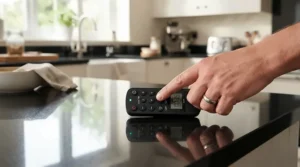
The handset ignores you. Swap the batteries and clear the line of sight, which is Cecotec’s own troubleshooting advice. If direction feels reversed, set the facing side in the app.
The app won’t connect. Home & Smart notes the Ecovacs pairing happens inside the app rather than in your phone’s Bluetooth settings. Stand close, toggle Bluetooth and retry.
Dirty corners. Round edge sensors can stop a pad reaching the extreme corners, as TechRadar noted. Wipe them by hand afterwards.
How to Choose a Robot Window Cleaner with Remote Control
Choose by control style, window type, power source, safety backup, spray system, noise and budget. In more detail:
- Decide what “remote” means to you. A physical handset is brilliant with gloves on; an app gives richer modes. Pick one primary, with the other as a fallback.
- Measure your glass. Minimum pane size matters, and frameless glass needs good edge detection.
- Choose your power source. Cordless stations suit balconies and upper floors; mains models are cheaper but cable-limited.
- Check the safety net. Look for a rope plus a UPS or backup battery.
- Look at the spray system. Double or triple nozzles reduce the chance of dry patches, but a bigger tank isn’t automatically better.
- Weigh noise and app maturity. Fan noise and a barebones app are the two most repeated complaints in reviews.
- Do the cost sum. Divide the robot’s price by the cost of a local professional visit to see your break-even point.
Remote Control Window Robot Review: What Reviewers Keep Saying
Across the sources, the same themes keep popping up in every remote control window robot review.
Cleaning is good, not magic. TechRadar’s tests suggest premium models handle filthy glass well, while the cheaper Hobot S7 Pro shines on light soil. CHOICE found the W1 Pro left only faint patches after a deep clean.
Handsets are handy but imperfect. TechRadar called the Hobot S7 Pro handset sometimes awkward.
Apps are the weak link. Nextpit called the W2 Omni app barebones, though it appreciated that the robot works without it.
Price shapes opinion. Galaxus and Home & Smart reviewers repeatedly flag cost as the main complaint on Ecovacs station models.
Budget reviews are unverified. For the Conga Windroid 1090 and FRUITEAM, I couldn’t find independent testing, so any star rating there is retailer data. Read recent verified reviews yourself.
App-Controlled Window Cleaning Robot: What the App Actually Adds
An app-controlled window cleaning robot trades hardware buttons for software flexibility. The best apps give you cleaning modes, manual driving, spray control and status alerts. The W2S Pro Omni goes furthest, with eight modes including zone and heavy-duty. The W1 Pro adds manual steering via the app, which CHOICE and Gadget Guy both liked.
But the app isn’t always essential. Home & Smart says the W2S Pro Omni works without it day to day, and nextpit says the same of the W2 Omni. Think of the app as the place to fine-tune, not a requirement.
Companion App Features That Matter (and Those That Don’t)
Worth having: manual drive, pause and resume (handy when swapping a pad), spray control, edge or zone modes and clear status alerts. TechRadar liked resuming in the same place after changing a cloth on the W2 Pro Omni.
Nice but marginal: voice prompts in many languages, scheduling and firmware updates. A window robot isn’t a robot vacuum; you won’t leave it running while you’re out.
Red flags: an app that needs an account for basic operation, or lacks a physical fallback. That’s where a handset on the Hobot S7 Pro, Mamibot W120-T or Conga Windroid 1090 looks smarter.
Bluetooth vs Wi-Fi Control: Which Is Better for a Window Robot?
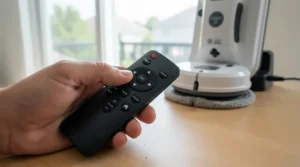
For this job, Bluetooth is usually enough. You’re standing within a few metres of the glass, so the extra reach of Wi-Fi rarely helps. Bluetooth Low Energy was designed to cut power use and cost while keeping a similar range to classic Bluetooth, which suits a robot that’s hanging on a pane and needs only short commands.
Home & Smart found the W2S Pro Omni pairs over Bluetooth without Wi-Fi, which means no router fiddling and fewer cloud-account headaches. Cecotec’s manual for the Conga Windroid 870 Connected (an older sibling) also describes Bluetooth pairing.
Wi-Fi earns its place for firmware updates, status alerts when you’re elsewhere, and control from anywhere, as some retailer listings advertise for the W1 Pro. But remote start from another room invites trouble, because a window bot needs supervision. TechRadar’s explainer makes that point clearly.
My analysis: prioritise stable local control and a physical fallback over cloud features. In the Bluetooth vs Wi-Fi control debate, Bluetooth plus a handset or station buttons wins on reliability.
Manual Override Window Cleaning Robot: Taking the Wheel
A manual override window cleaning robot lets you stop the autopilot and drive it yourself. That’s the whole reason many people want a remote.
On the Ecovacs models it lives in the app as a virtual gamepad. TechRadar’s review of the W2 Pro Omni describes a manual mode for tackling stubborn marks. On the Hobot S7 Pro, Mamibot W120-T and Conga Windroid 1090, the physical handset handles direction and spray, with the app as a second route.
Why does it matter? Autopilot paths struggle with odd shapes, partial cleans and spot jobs. One owner review on a retailer listing mentions using manual control for triangular windows, a nice example of the feature earning its keep.
Manual Path Override: When to Drive Yourself
Use manual path override in four situations: triangular or angled panes, bird mess or sap that needs repeated passes, spots the autopilot skipped, and fetching the robot to a reachable edge at the end.
Nextpit warns that remote spraying on the W2 Omni is rate-limited, so don’t expect to flood a stain. Instead, drive in short, slow passes. Watch the safety rope as you go, because a manual route can wrap it round a handle. And never override near a frame edge with the cable dragging.
Robot Window Cleaner vs Traditional Window Cleaning
| Method | Safety at height | Effort | Ongoing cost | Best For |
|---|---|---|---|---|
| Robot window cleaner with remote control | Keeps you off ladders; needs a rope and supervision | Low | Pads, solution, electricity | Frequent cleans, awkward glass |
| Ladder, bucket and squeegee | Highest risk at height | High | Very low | Ground-floor, occasional jobs |
| Extendable pole system | Feet stay grounded, limited reach | Medium | Low | Ground and first-floor exteriors |
| Professional window cleaner | Handled by trained pros | None | Recurring visit fees, varying by area | Large, high or one-off deep cleans |
The robot’s real advantage is safety and convenience at awkward heights, not outright cleaning perfection. A good squeegee still wins on ground-floor panes and tiny budgets. If a professional charges you regularly, a mid-range robot can pay for itself, but only if you’ll actually use it.
Long-Term Cost and Maintenance
The purchase price is only the start. Budget for replacement pads, cleaning solution and, on cordless models, eventual battery wear. Pads are washable (Hobot says hand wash or a 40°C machine wash for the Hobot S7 Pro), so ongoing costs are modest.
Electricity is a rounding error. The real running cost is your time: wiping sensors, washing pads and moving the robot between panes.
Warranty matters, too. Retailer data for the Mamibot W120-T lists a 24-month warranty, while other brands vary, so check the listing. Cheaper models can need replacing sooner, so the break-even sum is: robot price divided by your local professional’s per-visit quote.
Safety, Regulations and Compliance for Window Robots
A robot is no licence to stop paying attention. TechRadar’s explainer on robot window cleaners is blunt: unlike robot vacuums, window bots need supervision, and cleaning quality varies.
Practical rules: always attach the safety rope to something solid, never use it in rain or strong wind (CHOICE’s advice), and keep people and pets clear below exterior panes.
For electrical safety, buy from UK-facing listings with a proper UK plug, and check the manual and listing for UKCA or CE marking. Marking rules differ by product type, so confirm on gov.uk if unsure. Treat anything from an unbranded marketplace seller with extra caution.
FAQ
❓ Is a robot window cleaner with remote control worth buying for a small UK flat?
❓ Can a window robot clean sloped or roof glass?
❓ Do I need Wi-Fi for an app-controlled window cleaning robot?
❓ How long does a standard window take?
❓ Which robot is best for a first-time buyer?
Conclusion
So, is a robot window cleaner with remote control worth it? For awkward, high or frequently grubby glass, yes. For three small windows, probably not.
If you want the least-fuss premium option, the W2S Pro Omni and W2 Omni lead on cordless freedom and Bluetooth-friendly control, though their remote is your phone. For handset-plus-app value, the Hobot S7 Pro and Mamibot W120-T are the sensible middle. The W1 Pro is the evidence-backed entry to Ecovacs. And if you’re tight on cash, the Conga Windroid 1090 and FRUITEAM are worth a cautious look, with the caveat that their independent review data is thin.
Whichever you choose, match the control style to your habits. An app-controlled window cleaning robot with good companion app features is great, but keep a physical fallback and a decent manual path override for the pane that always defeats the autopilot. And remember that Bluetooth vs Wi-Fi control is a smaller decision than rope, power and glass type.
Recommended for You
- Robot Window Cleaner For Large Windows: 7 Best Picks UK (2026)
- Robot Window Cleaner For High-Rise Flats: 7 Safest Picks (2026)
- Vertical Glass Cleaning Robot: 7 Best Picks For UK Homes (2026)
Disclaimer: This article contains affiliate links. As an Amazon Associate, I earn from qualifying purchases. If you purchase products through these links, we may earn a small commission at no additional cost to you.
✨ Found this helpful? Share it with your friends! 💬🤗
