
In This Article
Here’s a confession every household with a dusty skirting board understands: nobody wants to spend a Saturday morning wrestling a corded hoover around the sofa legs. That’s exactly the itch a budget robot vacuum is designed to scratch, and in 2026 the choice on amazon.co.uk has never been wider or, frankly, more confusing. A budget robot vacuum is a low-to-mid-priced automated floor cleaner, typically under £300, that vacuums (and sometimes mops) hard floors and light carpet with minimal daily input from you…
The tricky part isn’t whether these machines work. Most of them genuinely do. The tricky part is figuring out which corners a manufacturer has cut to hit that lower price, and whether those corners matter for your specific flat, house, or menagerie of shedding pets. Some models navigate with a laser turret that maps your entire home in minutes; others simply bounce off furniture like a confused bumper car and call it a day. Both approaches can leave your floors clean — they just get there very differently.
Robotic vacuum cleaners have gone from a novelty gadget to a genuinely mainstream household appliance in little over a decade, and the budget end of that market has grown up alongside it. This guide digs into seven real, currently available machines, from the properly bare-bones Lefant M210 through to the Xiaomi X20+, which somehow squeezes a self-emptying dock into budget territory. We’ll look at what the spec sheets actually mean in practice, what genuine buyers report after weeks of use, and where the value sweet spot sits for different households. There’s no invented testimony here — where we can’t verify a claim from real sources, we say so, and we lean harder on spec analysis and value reasoning instead. By the end, you should know exactly which machine fits your floors, your budget, and your patience for faffing about with an app.
Quick Comparison Table
| Product | Navigation | Mopping | Runtime | Best For |
|---|---|---|---|---|
| Lefant M210 | Random/bump | No | ~100-120 min | Tightest budgets, small flats |
| Eufy RoboVac 11S Max | Random/bump, BoostIQ | No | ~100 min | Under-furniture gaps, hard floors |
| TP-Link Tapo RV30 | LiDAR mapping | Yes (basic) | ~100-150 min | First-time buyers wanting a map |
| iRobot Roomba 694 | Random/bump | No | ~90-130 min | Brand trust, easy app control |
| Roborock Q5 Pro | LiDAR mapping | Yes (gravity-fed) | ~180 min | Big households, pet hair |
| Ecovacs Deebot N8 | dToF LiDAR mapping | Yes | ~110 min | Multi-room precision on a budget |
| Xiaomi X20+ | LiDAR mapping | Yes | ~150-180 min | Self-emptying without the premium price |
Looking at the spread above, the split between mapped and unmapped machines is really the whole story of the budget segment: Lefant M210, Eufy RoboVac 11S Max, and iRobot Roomba 694 all rely on bump-and-turn navigation, while TP-Link Tapo RV30, Roborock Q5 Pro, Ecovacs Deebot N8, and Xiaomi X20+ bring LiDAR mapping down into the affordable bracket. Runtime tends to track roughly with price too, though the Roborock Q5 Pro and Xiaomi X20+ punch well above their weight here thanks to more efficient path-planning. If mopping matters to you, notice that it’s almost always bundled with mapping — vacuum-only bump navigators rarely bother with a mop plate at all.
💬 Found a favourite already? Tap through to check today’s price before it changes.🤗
Top 7 Budget Robot Vacuums: Expert Analysis
Picking seven models for this list meant covering every rung of the budget ladder — from a robot that costs less than a decent pair of trainers to one that flirts with mid-range territory but still counts as a bargain next to flagship machines costing four figures. Below, each entry gets the same honest treatment: what the spec actually buys you, who real reviewers say it suits, and where the compromises live.
1. Lefant M210 — best entry price for casual dust patrol
The standout here is simply the price tag: this is about as cheap as a functioning robot vacuum gets on amazon.co.uk. The Lefant M210 runs on 1800-2200Pa suction (depending on the exact variant), a 1800mAh battery good for roughly 100-120 minutes, and a climbing threshold of around 15-16mm, meaning it’ll cope with a slightly raised carpet edge but not a proper doorway lip. Crucially, it skips mapping entirely — there’s no LiDAR turret, so it relies on bump sensors and a semi-random cleaning pattern.
Based on the spec comparison, this is a machine for small, simple spaces: a studio flat, a single open-plan kitchen-diner, a rental where you don’t want to commit serious cash. Mumsnet’s testers found it worked well in automatic mode for a laminate kitchen floor and handled pet hair capably during an eight-month trial, though they noted they rarely bothered with the scheduling function, preferring to run it on demand. Expert Reviews’ write-up of the closely related M210P was blunter, flagging the navigation as genuinely “woeful” for anything beyond a single room, since there’s no memory of where it’s already cleaned. Reviewers consistently note that this model is happiest doing quick daily top-ups rather than deep, systematic cleans.
Pros/cons based on real specs and review themes:
Pros:
- ✅ One of the cheapest genuinely functional robot vacuums around
- ✅ Slim profile fits under most sofas and low furniture
- ✅ App scheduling and manual control despite the low price
Cons:
- ❌ No mapping means inefficient, sometimes repetitive coverage
- ❌ Small 0.5-litre bin needs frequent emptying in busier homes
The Lefant M210 typically sits in the sub-£150 bracket, often dipping lower during sales events, and the value verdict is straightforward: if your space is small and your expectations are realistic, it’s hard to argue with the price.
2. Eufy RoboVac 11S Max — slimmest bot for tight furniture gaps
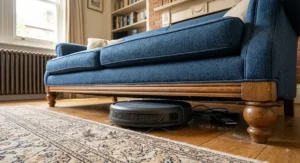
What immediately stands out about the Eufy RoboVac 11S Max is its height — at just 7.25cm tall, it slides under furniture that stops rival machines dead. Under the hood, Eufy’s BoostIQ system automatically ramps up suction when it detects a carpet transition, and the 0.6-litre dust canister is genuinely generous for a vacuum-only budget bot.
What most buyers overlook about this model is that “Max” refers to battery capacity, not navigation sophistication — like its cheaper 11S sibling, it still uses infrared bump sensors rather than mapping, so don’t expect room-by-room logic. TechRadar’s testing found it excellent on hard floors and fine dust but noted it “struggles to give medium and thick pile carpets an effective deep clean,” which lines up with what you’d expect from a machine prioritising suction bursts over sustained carpet agitation. Aggregated reviewer sentiment consistently praises the near-silent operation, a genuine plus if you want to run it while working from home.
Pros:
- ✅ Ultra-low profile clears furniture other bots can’t reach
- ✅ BoostIQ auto-suction boost on carpet transitions
- ✅ Notably quiet compared with rival budget machines
Cons:
- ❌ No mapping, so larger homes see inconsistent coverage
- ❌ Struggles with medium-to-thick pile carpet depth cleaning
Prices for the Eufy RoboVac 11S Max typically sit in the £140-180 range, occasionally dropping into the low £150s during retailer promotions, which makes it a strong value pick specifically for flats dominated by hard flooring.
3. TP-Link Tapo RV30 — cheapest LiDAR mapping on the list
Here’s where the story shifts. The TP-Link Tapo RV30 is the most affordable way onto this list to get proper LiDAR-based room mapping rather than bump-and-hope navigation. TP-Link is better known for routers and smart plugs, but its Tapo smart-home arm has pushed hard into vacuums, and the RV30 (the base model, without the pricier auto-empty dock bundled into the RV30 Plus) brings a laser turret, app-based no-go zones, and a basic mopping attachment down to a genuinely accessible price point.
Here’s what to weigh: this is the standard-dock version, not the self-emptying RV30 Plus that costs considerably more, so you’ll still be emptying the bin by hand. Tom’s Guide’s testing of the closely related RV30 Max Plus found it “picks up most debris easily” and performs admirably on cereal and kitty-litter style messes, though it flagged that it “struggles with large amounts of pet hair” — a fair trade-off given the 5,300Pa suction sits below premium-tier numbers. The mopping function is described by multiple outlets as basic and gravity-fed rather than a proper scrubbing system, useful for light dust and spills rather than dried-on stains.
Pros:
- ✅ LiDAR mapping at a genuinely budget price point
- ✅ App no-go zones and room selection, unusual at this cost
- ✅ Doubles as a basic mop for everyday spills
Cons:
- ❌ Struggles with heavier pet hair volumes on carpet
- ❌ Mopping is gravity-fed and won’t shift dried stains
The TP-Link Tapo RV30 generally lands in the £150-200 range for the base model, and for anyone who’s never owned a mapped robot vacuum before, it’s a sensible, low-risk way to try the feature.
4. iRobot Roomba 694 — most trusted brand at a budget price
The iRobot Roomba 694 trades on something none of the other machines here can quite offer: brand pedigree. iRobot effectively invented the category, and the 694 is its deliberately stripped-back entry point — no mapping, no self-emptying dock, no mopping, just a 90-130 minute runtime, Dirt Detect sensors that concentrate effort on visibly dirty patches, and Wi-Fi connectivity through the well-regarded iRobot Home app.
What the spec sheet won’t tell you, but reviewer testing does, is how well the random-navigation approach still performs. RTINGS and Modern Castle’s testing both recorded the 694 removing around 97% of debris by weight in cleaning tests, a genuinely strong figure for a bump-navigation machine, and TechHive’s reviewer specifically praised the timed-cleaning feature as a practical workaround for the lack of room mapping. Aggregated Amazon and retailer reviews repeatedly mention over 70,000 ratings for this model, reflecting real market longevity rather than a fresh-off-the-factory-line gimmick. The trade-off is a smaller 0.35-litre bin and no self-emptying, so it’s a hands-on machine by design.
Pros:
- ✅ Strong, independently tested debris-pickup performance
- ✅ Backed by iRobot’s long-standing app and support ecosystem
- ✅ Alexa and Google Assistant voice control included
Cons:
- ❌ No mapping — cleaning pattern is essentially random
- ❌ Small dustbin needs emptying more often than mapped rivals
The iRobot Roomba 694 usually sits around £180-230 on amazon.co.uk, occasionally dropping lower during Prime sales events, making it the brand-name safety net of this list for buyers who value support and reputation over raw spec numbers.
5. Roborock Q5 Pro — biggest bin, tangle-free brushes
The Roborock Q5 Pro is arguably the biggest surprise on this list: a genuinely capable LiDAR-mapped machine that Roborock has deliberately positioned as its entry point, and it borrows hardware from the brand’s much pricier flagships. The standout feature is the contra-rotating dual rubber brush design lifted from Roborock’s high-end S8 MaxV Ultra, engineered specifically to resist hair wrap — a common failure point on cheaper bots.
Based on the spec comparison, the 770ml onboard dustbin is unusually large for a vacuum-only budget machine, meaning fewer manual empties, and it compensates for the lack of a self-emptying dock rather cleverly. Trusted Reviews called the suction and navigation “quite remarkable” for the price and specifically flagged the mopping as “gravity-fed” and therefore basic — a consistent theme across nearly every review of this model. The Ambient’s testers went further, describing the 5,500Pa suction as stronger than some of Roborock’s own older flagship models, which is a genuinely notable data point for a budget-tier product.
Pros:
- ✅ LiDAR mapping and tangle-resistant brushes at a low price
- ✅ Unusually large onboard bin reduces manual emptying
- ✅ Suction that outperforms its budget positioning
Cons:
- ❌ Mopping is basic gravity-fed rather than active scrubbing
- ❌ No self-emptying dock included at this price tier
UK pricing for the Roborock Q5 Pro has ranged from around £200 up to its £299-349 RRP depending on retailer promotions, and even at the higher end of that range it represents one of the strongest pound-for-pound value propositions on this list.
6. Ecovacs Deebot N8 — fastest, most precise budget mapping
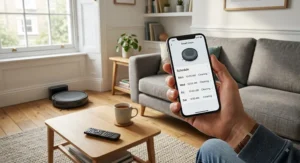
Sitting at the top of this list’s price ceiling, the Ecovacs Deebot N8 uses dToF (direct time-of-flight) laser mapping — a technology borrowed from aerospace detection systems — which Ecovacs claims maps rooms roughly four times faster than standard laser navigation. That translates into genuinely quick initial setup and a cleaning pattern that’s noticeably more systematic than anything else on this list bar the Roborock and Xiaomi entries.
What most buyers overlook about the N8 is that the base model reviewed here doesn’t include the auto-empty station bundled with the pricier N8+; you’re paying for the mapping and mopping combination, not the hands-off emptying. Smart Home Fox’s UK testing clocked it completing an 80m² flat in around 40 minutes and specifically praised how rarely it collided with obstacles at speed, thanks to the constantly scanning laser. Cleaning Estimate’s aggregated review notes flagged the companion app as occasionally clunky, with some users reporting the map needing to be rebuilt after furniture moves — a fair criticism reviewers repeat fairly consistently across Ecovacs’s mid-tier range.
Pros:
- ✅ Fast, precise dToF laser mapping across multiple floors
- ✅ Simultaneous vacuum-and-mop with four adjustable water levels
- ✅ Backed by a genuinely long two-year manufacturer warranty
Cons:
- ❌ Companion app reviewed as clunky by multiple sources
- ❌ Sits at the upper price ceiling of the “budget” bracket
Expect the base Ecovacs Deebot N8 to sit roughly in the £300-380 range, at the time of research, positioning it as the machine to stretch for if mapping precision and mopping matter more to you than saving every last pound.
7. Xiaomi X20+ — only self-emptying dock under budget money
The final entry earns its spot for one specific reason: the Xiaomi X20+ is the only machine on this list that bundles a self-emptying dock into genuinely budget-adjacent pricing. TechRadar named it their pick for best budget robot vacuum in the UK, citing 6,000Pa suction — comfortably ahead of several rivals here — plus LiDAR navigation and a dock that also cleans the mop pads between runs.
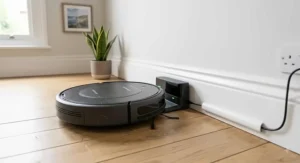
Here’s what to weigh: TechRadar’s own reviewer flagged the dock itself as “big, bulky,” which is the classic trade-off with any self-emptying station — you’re gaining weeks of hands-off convenience in exchange for a chunkier footprint by the skirting board. Reviewer sentiment on reliability was notably positive, with testers specifically calling out consistent navigation performance run after run, a detail that matters more than raw suction numbers once a machine has been living in your hallway for a few months. As with several entries on this list, verified independent long-term reliability data beyond initial reviews is still limited, simply because this is a newer release; we’d recommend checking current buyer feedback before committing.
Pros:
- ✅ Self-emptying dock at a genuinely budget-adjacent price
- ✅ Strong 6,000Pa suction relative to its price bracket
- ✅ Dock includes mop pad cleaning, unusual at this cost
Cons:
- ❌ Bulky dock footprint needs dedicated floor space
- ❌ Limited long-term reliability data so soon after launch
The Xiaomi X20+ sits in the sub-£300 budget bracket at the time of research, and for anyone who specifically wants to never touch a dustbin, it’s currently the standout option on this list.
Practical Usage Guide: Getting the Most From Your Budget Robot Vacuum
Buying the right machine is only half the job — how you set it up in the first month genuinely changes how well it performs. Start by clearing trailing cables, loose rugs with curled edges, and anything under 15mm off the floor before the first run; bump-navigation machines like the Lefant M210 and iRobot Roomba 694 have no way of “seeing” a phone charger cable until they’re already tangled in it. If you’ve bought one of the mapped models — the TP-Link Tapo RV30, Roborock Q5 Pro, Ecovacs Deebot N8, or Xiaomi X20+ — let the first cleaning run complete uninterrupted, even if it looks inefficient. That initial pass is how the machine builds its map, and stopping it partway tends to produce a patchier, less accurate layout for every run afterwards.
A common mistake in the first 30 days is over-scheduling. It’s tempting to set a daily 9am clean and forget about it, but most reviewers we’ve cited above found that a genuinely thorough manual once-over every few days, rather than a rushed automated pass every single day, actually kept floors cleaner with less bin emptying. For maintenance, budget models with small canisters — the Lefant M210‘s 0.5-litre bin is the tightest here — benefit from a quick weekly brush-roll check, since hair and fluff wound around the roller quietly strangles suction long before the bin itself looks full. Filters on any of these seven models should be tapped out roughly every two weeks and replaced every two to three months for consistent airflow; a clogged filter is one of the most common causes of a robot vacuum seeming to “lose power” over time, and it’s an easy, cheap fix rather than a fault.
Real-World Scenarios: Which Budget Robot Vacuum Suits You
Picking a machine from a spec sheet is one thing; matching it to how you actually live is another. Consider a first-year renter in a one-bedroom flat with laminate throughout and no pets — for that scenario, the Lefant M210 or Eufy RoboVac 11S Max genuinely make sense, since there’s no complex layout for mapping to solve and the priority is simply price. Now picture a family with two dogs, a downstairs open-plan kitchen-diner, and a runner rug in the hallway; that’s a household where the tangle-resistant brushes and larger bin of the Roborock Q5 Pro earn their keep, since pet hair volume is exactly what smaller-canister, non-mapped machines struggle with fastest.
A different case: a couple in a two-storey house who want the robot to genuinely think for itself while they’re both out at work all day. That’s the scenario the Ecovacs Deebot N8 or Xiaomi X20+ were built for — multi-floor map storage and, in the Xiaomi’s case, a self-emptying dock mean the machine can run a full cycle unsupervised without needing anyone home to swap a full bin. And for someone testing the entire category for the very first time, wary of spending big on something they might not get on with, the iRobot Roomba 694 offers a low-risk way in: a trusted brand, straightforward app, and a price that won’t sting if robotic cleaning simply isn’t for you after all.
Problem → Solution: Common Budget Robot Vacuum Frustrations
Even the best budget machine runs into a handful of predictable snags, and most have straightforward fixes. If your robot keeps getting stuck under the same low unit, the issue is almost always clearance rather than the machine itself — check the specific height rating (the Eufy RoboVac 11S Max‘s 7.25cm profile solves this for most UK furniture, while taller models won’t fit at all) and consider a cheap furniture riser rather than assuming the vacuum is faulty. If a non-mapped model like the Lefant M210 or iRobot Roomba 694 seems to keep missing whole rooms, that’s expected behaviour rather than a defect; running shorter, more frequent sessions in each room via manual spot-clean mode compensates for the lack of a stored map.
Weak suction after a few weeks is nearly always a filter or brush-roll problem rather than a motor fault — clean both before assuming the worst. If a mapped machine like the TP-Link Tapo RV30 or Ecovacs Deebot N8 keeps losing its saved map after furniture gets moved, that’s a known quirk of laser-based systems reacting to a changed environment; a fresh full-home mapping run (rather than trying to edit the old map) usually resolves it faster than troubleshooting. And if Wi-Fi connectivity keeps dropping, most budget bots — including everything on this list — only support the 2.4GHz band, so check your router isn’t broadcasting a combined 2.4/5GHz network under one name, which is the default setup on several major UK ISP routers and a very common cause of failed pairing.
How to Choose an Entry-Level Robot Vacuum
Picking the right entry-level robot vacuum comes down to weighing a handful of criteria against your actual home, not the flashiest spec on the box. Here’s the reasoning we’d apply, step by step:
- Start with your floor type. Hard floors forgive weaker suction; thick carpet punishes it. If you’re mostly laminate or tile, a bump-navigation model like the Lefant M210 is genuinely adequate. Carpet-heavy homes should prioritise the higher suction figures and tangle-resistant brushes of the Roborock Q5 Pro.
- Decide if mapping actually matters to you. For a single open room, it barely does. For a multi-room flat or house, mapped models cut cleaning time roughly in half by avoiding repeat passes.
- Check the bin size against your household size. Pet owners and larger families will empty a 0.35-litre bin far more often than a 0.77-litre one — factor that ongoing hassle into the price, not just the sticker.
- Weigh mopping as a bonus, not a headline feature. Every gravity-fed mop on this list is described by reviewers as basic; treat it as light maintenance between proper mopping sessions, not a replacement for one.
- Look at runtime versus your floor area. A 90-minute runtime is fine for a flat; a house may need the 150-180 minute range offered by the Xiaomi X20+ or Roborock Q5 Pro.
- Factor in the warranty length, covered in detail further down this guide — it’s a genuinely underrated signal of how confident a brand is in its own hardware.
- Read aggregated reviews, not star ratings alone. A 4.3-star average tells you little; the actual complaint themes underneath it tell you everything. Independent testers such as Which? run standardised cleaning trials that are worth cross-referencing against the aggregated sentiment in this guide before you commit.
Common Mistakes When Buying a Budget Robot Vacuum
The single most common mistake is treating “budget” as synonymous with “worst available option” and therefore skipping research entirely. As the comparison above shows, some budget-tier machines — the Roborock Q5 Pro in particular — genuinely borrow hardware from premium siblings, so a lower price doesn’t automatically mean a worse machine for your specific needs. The second frequent misstep is buying based purely on suction Pa figures without checking navigation type; a 6,000Pa bump-navigation bot can still clean less thoroughly overall than a lower-suction mapped model, simply because the mapped machine doesn’t waste battery cleaning the same patch of floor three times.
A third mistake worth flagging: assuming every “smart” robot vacuum works identically with a UK smart-home setup. Most budget models, including everything reviewed here, only support 2.4GHz Wi-Fi, and several UK routers from major ISPs broadcast a single combined network name — this trips up more first-time buyers than any hardware fault does. Finally, buyers frequently ignore replacement part costs and availability when comparing prices; a cheaper machine with hard-to-source filters or brushes can end up costing more over two years than a slightly pricier model with widely stocked spares.
Budget Robot Vacuum vs Traditional Upright Vacuum
| Factor | Budget Robot Vacuum | Traditional Upright Vacuum |
|---|---|---|
| Suction power | Moderate, improving yearly | Generally stronger, especially on deep carpet |
| Time investment | Minimal, mostly automated | 20-40 minutes of active effort per session |
| Reach | Struggles with stairs, high thresholds | Handles stairs, upholstery, curtains |
| Best For | Daily light maintenance | Deep, occasional cleans |
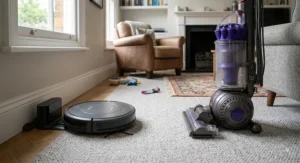
The honest read on this table is that a budget robot vacuum was never designed to replace a traditional upright — it’s designed to reduce how often you need to reach for one. Machines like the iRobot Roomba 694 or Eufy RoboVac 11S Max excel at daily maintenance cleaning that keeps dust and crumbs from accumulating, but none of the seven models here will out-suction a dedicated upright on a deep-pile carpet that hasn’t been cleaned in months. Most households we’ve researched who report genuine satisfaction actually run both: a robot for daily upkeep, and a traditional vacuum for a proper deep clean every few weeks.
Basic Mapping Technology Explained: LiDAR, Gyroscope and Random Navigation
Understanding basic mapping technology is arguably the single most useful thing to grasp before buying, because it explains almost every performance difference on this list. At the simplest end sits random or bump navigation, used by the Lefant M210, Eufy RoboVac 11S Max, and iRobot Roomba 694 — the robot moves in a rough pattern, changes direction when its bumper sensor hits an obstacle, and has no memory of the room’s layout between passes. It’s not “dumb,” exactly, but it is inherently inefficient, and it’s why these three machines tend to run longer cycles to achieve similar coverage to a mapped rival.
Above that sits proper mapping, most commonly built on simultaneous localization and mapping — a technique where the robot builds a map of its surroundings while simultaneously tracking its own position within that map. The TP-Link Tapo RV30 and Roborock Q5 Pro use standard LiDAR turrets for this, spinning a laser to measure distances and construct a floor plan in real time. The Ecovacs Deebot N8 goes a step further with dToF (direct time-of-flight) laser detection, a more precise variant that Ecovacs states maps roughly four times faster than earlier laser systems. The Xiaomi X20+ also relies on LiDAR mapping, which is precisely how it manages efficient enough coverage to justify its self-emptying dock — there’s little point automating bin emptying if the robot’s cleaning pattern is wasteful in the first place. In practice, what this means for you is simple: mapped machines generally clean faster, avoid repeat passes, and let you draw no-go zones in an app; unmapped machines are cheaper but less predictable in larger or more complex layouts.
Warranty Length and What It Actually Covers
Warranty length is one of the most overlooked numbers on a robot vacuum’s spec sheet, and it deserves more attention than it usually gets. Among the seven models here, most ship with the fairly standard 12-month manufacturer’s guarantee that’s typical of UK electrical goods, while the Ecovacs Deebot N8 stands out by including local UK service backing and a genuinely longer two-year warranty, a detail worth weighing against its higher price point. The iRobot Roomba 694, by contrast, carries iRobot’s more limited one-year cover, direct through iRobot UK support.
It’s worth being clear about what a manufacturer’s warranty actually promises versus what UK law already guarantees you regardless of what’s printed on the box. Under the Consumer Rights Act 2015, goods bought in England, Wales, Scotland, or Northern Ireland must be of satisfactory quality, fit for purpose, and as described, and you retain statutory rights to a repair, replacement, or refund for up to six years in England and Wales if a fault develops — a guarantee or warranty sits on top of these statutory rights, never replacing them. Practically speaking, a longer stated warranty like the Deebot N8’s two years is still a useful signal of manufacturer confidence, particularly for the more complex mapped and self-emptying machines, where more moving parts mean more that can potentially go wrong.
A No-Frills Robot Vacuum Review Roundup: What You’re Really Giving Up
A genuinely no-frills robot vacuum review has to be honest about trade-offs rather than pretending cheaper machines are secretly just as good as premium ones — they aren’t, and the differences are specific and predictable. Here’s a price-range and value breakdown across the list:
| Price Bracket | Models | What You Gain | What You Give Up |
|---|---|---|---|
| Under £150 | Lefant M210, Eufy RoboVac 11S Max | Lowest cost of entry, simple operation | Mapping, larger bins, mopping |
| £150-£250 | TP-Link Tapo RV30, iRobot Roomba 694 | Brand trust or entry-level mapping | Self-emptying, premium suction |
| £250-£380 | Roborock Q5 Pro, Ecovacs Deebot N8 | Precise mapping, larger bins, mopping | Auto-empty docks, top-tier obstacle avoidance |
| Sub-£300 (self-empty) | Xiaomi X20+ | Self-emptying dock, strong suction | Long-term reliability track record |
Reading across that table, the value curve isn’t linear — the jump from under £150 to the £150-250 bracket buys you either mapping or brand backing, but not both simultaneously, while the real leap in capability happens once you cross into the £250-380 range where mapping, larger bins, and mopping all arrive together. What every no-frills robot vacuum review of this segment tends to agree on is that the cheapest machines aren’t “bad,” they’re simply honest about doing one job — basic vacuuming — without pretending to be anything more sophisticated.
✨ Ready to Stop Vacuuming by Hand?
🔍 Compare the seven models above side by side, click through to check today’s price, and let one of these budget robot vacuums take the daily dust patrol off your to-do list for good.
Robot Vacuums for First-Time Buyers: A Beginner’s Roadmap
If this is your first robot vacuum, the temptation is to chase the longest spec sheet, but the smarter approach for first-time buyers is starting with the simplest machine that solves your actual problem. A genuinely useful rule of thumb: if you can’t confidently say why you need mapping, a laser turret, or a self-emptying dock, you probably don’t need to pay for them yet. The iRobot Roomba 694 exists almost specifically for this scenario — a trusted name, a genuinely simple app, and a price low enough that if robotic cleaning turns out not to suit your lifestyle, you haven’t gambled much.
For first-time buyers who are fairly confident they’ll want to upgrade eventually, the TP-Link Tapo RV30 offers a gentler introduction to mapped navigation and app-based no-go zones without the premium price tag of Roborock or Ecovacs’ higher-tier ranges. Whichever machine you choose, resist buying every accessory bundle on day one — start with the base unit, live with it for a month, and only then decide whether extras like extra filters, replacement brushes, or a mopping attachment genuinely earn their place in your routine.
Frequently Asked Questions
❓ Is a budget robot vacuum worth it for a small flat?
❓ Do budget robot vacuums work on carpet?
❓ How long does a budget robot vacuum warranty usually last?
❓ What's the difference between mapping and random navigation?
❓ Can a no-frills robot vacuum handle pet hair?
Conclusion
There’s no single “best” budget robot vacuum on this list, and that’s genuinely the point — the right choice depends entirely on your floors, your household, and how much you value mapping versus simply saving money. If price is the only factor that matters, the Lefant M210 does the job without ceremony. If you want brand reassurance as a first-time buyer, the iRobot Roomba 694 is the safer bet. And if you’re willing to stretch the budget definition slightly for genuinely smarter cleaning, the Roborock Q5 Pro and Xiaomi X20+ both punch well above their price bracket.
What unites every machine here is that none of them pretend to be something they’re not — this is a segment built on honest trade-offs rather than marketing gloss, and understanding those trade-offs, as we’ve laid out above, is what actually determines whether you’ll be happy with your purchase in six months’ time, not just on unboxing day.
✨ Found Your Match Among These Seven?
🧹 Head back up to your top pick, check the current price on amazon.co.uk, and get your floors on autopilot this week.
Recommended for You
- Robot Vacuum Under £300: 7 Genuinely Good Picks (2026)
- Best Robot Vacuum 2026: 7 Proven Picks (Buying Guide)
Disclaimer: This article contains affiliate links. As an Amazon Associate, I earn from qualifying purchases. If you purchase products through these links, we may earn a small commission at no additional cost to you.
✨ Found this helpful? Share it with your friends! 💬🤗
